 How-to
How to Choose Professional ECM Bench Programming Benefits
Last Updated: November 1, 2026
Quick Summary
Professional bench programming benefits come from direct module access: the technician controls power, communication and timing without vehicle wiring getting in the way. This gives fewer failed flashes, recovery of modules that will not respond in the vehicle, access to some protected modules, and a clear path back to the original software.
- Removing the module removes variables like low voltage and body modules waking up mid-write.
- Bench access can recover modules that fail or refuse to respond through the OBD port, though not every module can be saved.
- Confirm module part number, engine serial and software version before shipping anything.
- Save the original file in more than one location before any change is made.
- Verify the write and compare fuel use and idle behavior against a baseline recorded beforehand.
Table of Contents
- What ECM Programming and Tuning Actually Mean
- How Engine Control Modules Manage Engine Operation
- ECM Bench Programming vs In-Machine Programming
- The Benefits of Professional Bench Programming
- Heavy Equipment ECM Programming: Tools, Compatibility and Workflow
- Diesel ECM Reflashing and Recovery: Risks, Limits and Warranty
- Booking Your Bench Programming Job and Requesting a Quote
- Frequently Asked Questions
What ECM Programming and Tuning Actually Mean
Bench programming is the work of reading, changing, and writing an engine control module's software while the module sits on a workbench, away from the machine.
Most people use "ECM," "ECU," and "PCM" to mean the same thing: the computer that runs an engine. The label depends on the manufacturer and the job the module does.
Here is what a typical programming job covers:
- Reading the original software from the module
- Backing up that software before any change
- Loading a new or adjusted calibration
ECM, ECU and PCM: Same Module, Different Labels
The three terms overlap in everyday use. Heavy equipment shops often say ECM, while automotive shops more often say ECU or PCM. A powertrain control module (PCM) may also control the transmission. The job is the same: find the right module, confirm its software version, and program it correctly.
- ECM (engine control module): the common name in diesel and heavy equipment
- ECU (engine control unit): the same device, more common in cars
- PCM (powertrain control module): a module that also manages the transmission
How Engine Control Modules Manage Engine Operation
An engine control module reads sensors and sets how the engine runs. It watches signals such as air intake, coolant temperature, and throttle position.
Because the module controls fuel and air, a change to its calibration changes power output, fuel use, and emissions behavior. This is why programming needs care.
ECM Bench Programming vs In-Machine Programming
There are two main ways to program an ECM. In-machine programming runs through the vehicle's diagnostic port while the module stays installed. Bench programming removes the module and connects it directly to a programming setup.
Each approach has a place. Readers comparing options for their Same tractor or equipment can see the bench programming service offered for that brand.
Why Bench Access Matters for Protected Modules
Some modules use security protocols that block changes made through the vehicle. Others may fail partway through a flash, and a bench setup gives the technician direct control to recover them. A common mistake is assuming the in-vehicle method will always work. When a module is locked, bench access is often the only practical route.
The Benefits of Professional Bench Programming
Professional bench programming is not simply "tuning with extra steps." The benefits come from what direct module access changes: the technician controls power, communication, and timing without the vehicle's wiring, ignition state, or network in the way. That control is what produces the practical advantages below.
Direct Module Access Means Fewer Variables
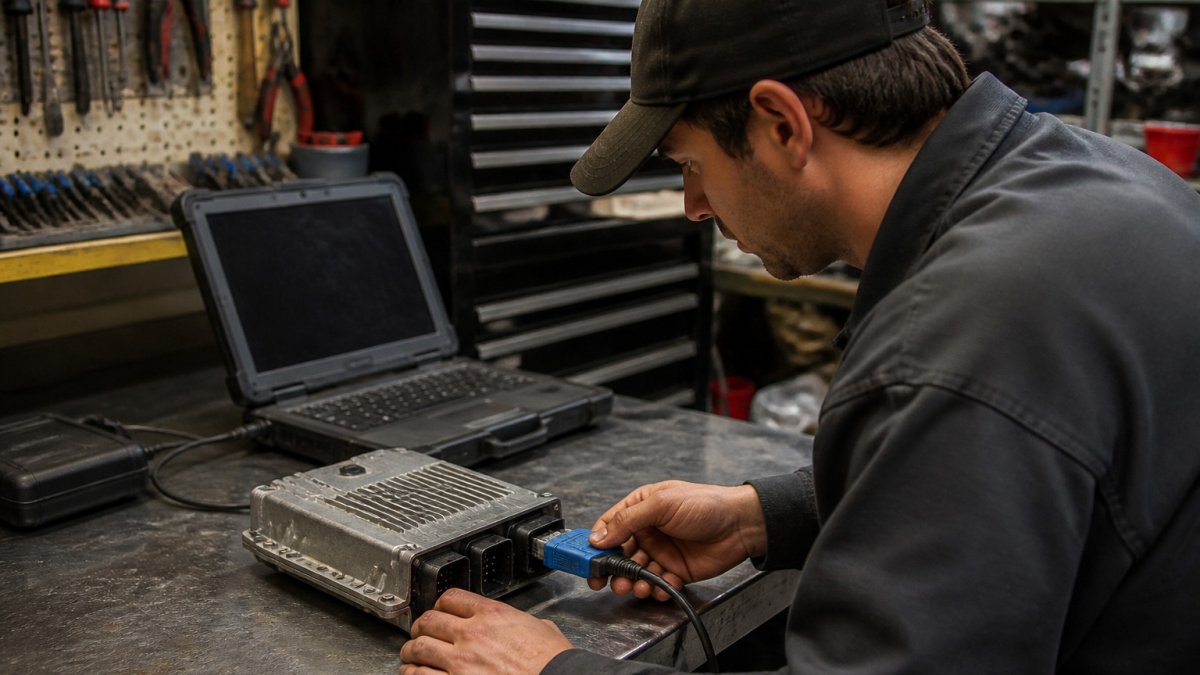
When a module is on the bench, the programming setup talks to it over a dedicated connection rather than through the vehicle's diagnostic port and CAN network. That removes variables that cause failed flashes in the vehicle: low battery voltage, a body module waking up mid-write, or an ignition switch that drops out.
Recovery of Modules That Will Not Communicate In-Vehicle
A module that has lost its software, failed a previous flash, or refuses to respond through the OBD port can often still be reached on the bench. Recovery is not guaranteed, some modules are physically damaged and cannot be saved.
Access to Protected or Locked Modules
This is a capability that varies by vehicle, not a blanket promise: always confirm that the specific module is supported before shipping it.
Calibration Work Matched to the Engine and Duty Cycle
Because the technician can read the original file and confirm the module's identity before writing, the calibration can be matched to the actual engine serial, part number, and software version. The payoff is more usable power and better fuel use within the engine's safe operating envelope, not a single maximized number.
Less Machine Downtime
Bench work separates the module from the machine. The machine can be inspected, serviced, or returned to another task while the module is programmed, and the module can be tested before it goes back in. For fleets, that means the programming happens on a schedule rather than in the middle of a job.
A Clear Path Back to the Original Software
That backup is the safety net: if the new calibration does not suit the machine, the module can be returned to its prior state. This is a benefit of process discipline, not of the bench itself, but bench access makes it easier to read and preserve the original file before any change.
What Bench Programming Does Not Guarantee
It is worth being direct about limits. Bench access does not guarantee that a module is supported or that a calibration will produce a specific horsepower or fuel-economy figure. Results depend on the engine, the duty cycle, the condition of the hardware, and the goals set before the work starts.
Heavy Equipment ECM Programming: Tools, Compatibility and Workflow
Most guides stop at "read, write, verify." A bench job that actually protects the module has more steps than that, and the steps that matter most are the ones before and after the write. The workflow below is the practical sequence a professional bench programmer follows; the exact tools and protocols vary by module, so treat it as a framework rather than a universal recipe.
Step 1: Confirm Compatibility Before Anything Else
Compatibility depends on the make, model, engine, module part number, and software version, not just the machine brand. Before shipping a module, confirm:
- The module part number and, where applicable, the engine serial number
- The current software or calibration version, if the module still communicates
- Whether the provider supports that specific module and protocol
Bench access does not guarantee programming support. A module can be physically reachable and still be unsupported because of its protocol, security state, or software family. Getting this confirmed up front is the single biggest time-saver in the process.
Step 2: Prepare the Bench Setup
A stable bench setup has three parts: a regulated power supply that holds the correct voltage for the duration of the write, a compatible interface or programmer for the module family, and a secure connection to the module's programming pins or connector. Power stability is not optional, a voltage drop mid-write is one of the most common causes of a bricked module. Use a supply rated for the module's current draw, not a battery charger or a laptop USB port.
Step 3: Identify and Read the Original File
With the module connected, read the original software and confirm that the file matches the module's identity. Save the original file in more than one location before any change. This backup is what makes the job reversible, and it is the step most often skipped in DIY attempts.
Step 4: Write the Approved Calibration
Load the calibration that matches the confirmed module and the stated goal. Do not interrupt the write, do not let the bench setup sleep, and do not unplug the module until the programmer reports completion. If the write fails, stop and diagnose rather than retrying blindly, a second failed write on a partially written module is harder to recover than the first.
Step 5: Verify the Write
Verification means more than "the programmer said done." Re-read the module where the tool supports it, confirm the calibration identifier, and check that the module communicates and holds its settings. A module that powers up but does not communicate correctly is not finished.
Step 6: Post-Programming Checks
Once the module is back in the machine, run a short verification plan rather than relying on a butt-dyno impression:
- Scan for diagnostic trouble codes and confirm none are new
- Check idle quality, throttle response, and behavior under load
- Compare fuel use against a baseline recorded before the change
This is how you measure results: baseline, change, compare. Generic performance promises are not a substitute for your own before-and-after data.
Tools and Equipment: What to Expect
A professional bench setup typically includes a regulated power supply, a module-specific interface or programmer, the correct connector or pinout adapter, and a computer running the vendor's software.
The workflow runs in a fixed order, and the steps before and after the write matter most. The table below summarises the six steps.
| Step | What to do | Time or frequency |
|---|---|---|
| Confirm compatibility | Check part number, engine serial and software version before shipping | Before anything else |
| Prepare the bench setup | Use a regulated supply that holds voltage for the full write | Throughout the write |
| Read the original file | Confirm it matches the module and save copies in more than one place | Before any change |
| Write the approved calibration | Do not interrupt the write or unplug the module until completion | One write per job |
| Verify the write | Re-read where supported, confirm the identifier and check communication | After the write |
| Post-programming checks | Scan codes, check idle and load, compare fuel use to a baseline | After reinstallation |
Diesel ECM Reflashing and Recovery: Risks, Limits and Warranty
Reflashing replaces a module's software. It carries real risk. If the power drops or the connection breaks mid-write, the module can fail. Recovery work can sometimes restore a module, but not every module can be saved.
Ask about these points before you start:
- What happens if the module will not communicate after the flash
- Whether the original software can be restored
- What warranty applies to the work and to the module
Construction Calibrations provides confirmed quotes against the exact ECM before shipping.
Booking Your Bench Programming Job and Requesting a Quote
To book bench programming, start by gathering the details that identify the module: make, model, engine serial number, part number, and a description of the problem.
Construction Calibrations supports fleets across the United States and abroad.
Get a quote from Construction Calibrations to confirm compatibility and scope before you ship your ECM.
Frequently Asked Questions
What is ECM bench programming?
ECM bench programming means removing the engine control module from the machine and connecting it to programming equipment on a workbench. The technician then reads, backs up, flashes or repairs the module's software without the rest of the vehicle's electronics involved. Because the module is isolated, the work can proceed even when in-machine access is unreliable or blocked, and the original software can be saved before any change is made. Construction Calibrations offers bench programming for heavy equipment; check its website for current service options and quotes.
How does bench programming differ from programming an ECM in the machine?
In-machine programming runs through the vehicle's diagnostic connector while the module stays installed and the rest of the electrical system is live. Bench programming removes the module and works on it directly, which avoids interruptions from power fluctuations and gives access to modules that will not communicate in place. It also suits replacement modules that need calibration before installation. The right method depends on the module, its protocol and whether it can be reached in the machine, so confirm compatibility before choosing an approach.
When should a heavy equipment ECM be reprogrammed?
Reprogramming is typically needed when a replacement engine or module must be calibrated to match the machine, when a module was mis-programmed or lost its software during a failed flash, or when performance and fuel economy goals call for a updated calibration. Teams with a fleet of machines may also reprogram to standardize settings. Any reprogramming should keep the original software backed up and should be checked against the emissions hardware the machine carries, since calibrations must work with that equipment.
Can an ECM be restored if programming fails?
In many cases, yes. When a flash is interrupted or a module loses its software, bench access allows the technician to attempt recovery from a saved backup or a verified calibration rather than replacing the module outright. Recovery is not guaranteed, particularly if the hardware is physically damaged. Before any work begins, the original software should be preserved, and a confirmed quote against the exact module should be provided so the decision to proceed is informed.